01
Turn opportunity into a pipeline.
Organize customer records, opportunities, follow-ups, and marketing activity in your CRM.
Scope & activation confirmed in demo
Product artwork supplied by WORKTEC. Core access is available by application; pictured mobile and other upcoming capabilities are subject to your demo and agreed scope. Payments require activation.
Your tools should follow the way you work. WORKTEC brings the contractor journey into a connected platform, with modules shaped around your business.
Core workflows are offered now, with configuration and scope confirmed in your demo. Payments and selected integrations require setup and testing. A native mobile app, route optimization, online booking, and phone answering are in development.
Organize customer records, opportunities, follow-ups, and marketing activity in your CRM.
Scope & activation confirmed in demoBuild Good, Better, and Best proposals from vendor cost references, material catalogs, and labor pricing.
Scope & activation confirmed in demoOrganize service calls, job calendars, and technician assignments. Route optimization is in development.
Scope & activation confirmed in demoConnect project progress, photos, purchase orders, documents, and change orders.
Scope & activation confirmed in demoCreate, sign, and store contracts and PDF documents. Manage deposits, progress invoices, and receivables.
Scope & activation confirmed in demoReview job profitability, labor and materials, revenue, and outstanding receivables with owner-restricted financial reporting.
Scope & activation confirmed in demoDrop in plans and specs, or work without prints, and get a draft scope and materials list that points back to the source pages. A person reviews and approves it before it can be sent. Add-ons stay as separate lines, and a target margin shows the price needed.
Scope & activation confirmed in demoTurn an estimate’s materials and equipment into one purchase order per supplier, priced at cost. Owner approval is required before an order can be emailed. Edit, print, and track status.
Scope & activation confirmed in demoEvery approved estimate becomes a job budget for materials, equipment, and labor. Profit watch compares recorded costs to it and shows the jobs heading to a loss first.
Scope & activation confirmed in demoTechnicians see their calls, update status, log parts and hours, view call history, and quote on site, even without signal. Customers get on-my-way texts with an arrival estimate, and a dispatch week view lets the office move jobs and notify the customer.
Scope & activation confirmed in demoSend payment links, save a card on file, run plan memberships, and let customers apply for financing from the quote screen. Back-office approval then records the payment. Each company connects its own processor.
Scope & activation confirmed in demoKeep notes on customers, general contractors, subcontractors, and vendors, with who wrote each one and when. Store position, website, and a separate accounts-payable email, and see how many days a customer or general contractor usually takes to pay. Track subcontractor insurance and license expiry with warnings.
Scope & activation confirmed in demoSend estimates, contracts, and plans from your own connected Google account, share folders by link with access you control, and back files up to Google Drive.
Scope & activation confirmed in demoEach company gets its own logo, colors, public pages, sign-up link, and texting setup, with English and Spanish in the app. Website connection is a custom add-on set up by an admin.
Scope & activation confirmed in demoImport jobs from a spreadsheet, move jobs between general contractors and clients, and work follow-ups from a tracker that shows every category and a day-by-day schedule, also on your dashboard home.
Scope & activation confirmed in demoPayments: BTEC Financial offers processing for WORKTEC customers. Connect approved estimates, deposits, progress payments, and receivables to the job. A provider is enabled only after configuration and integration testing.
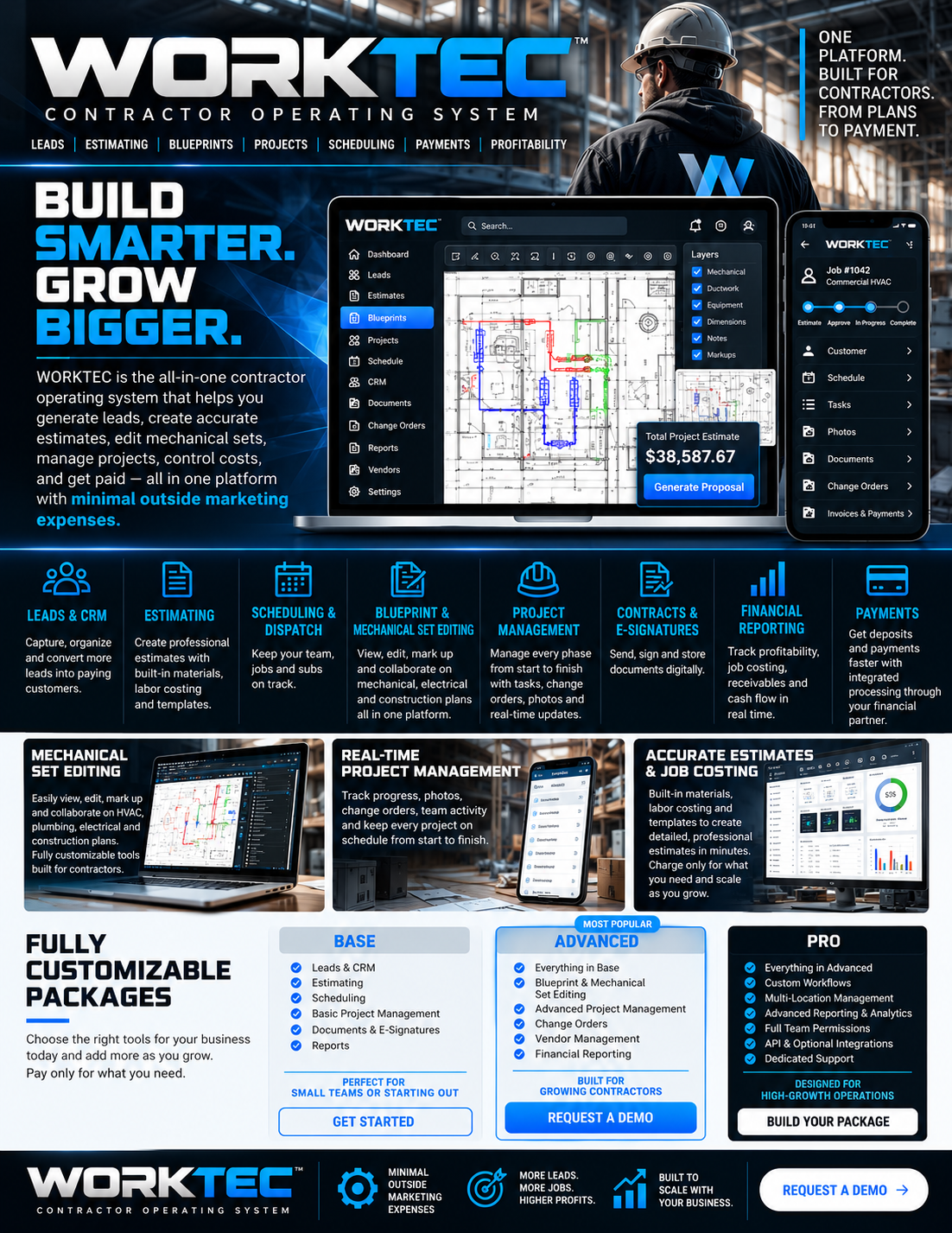
Explore the workflows behind the platform. These visuals from the WORKTEC sales sheets illustrate the product vision; your demo confirms the tools available for your business.
Review mechanical sets and keep drawing decisions close to the project.
Explore in your demo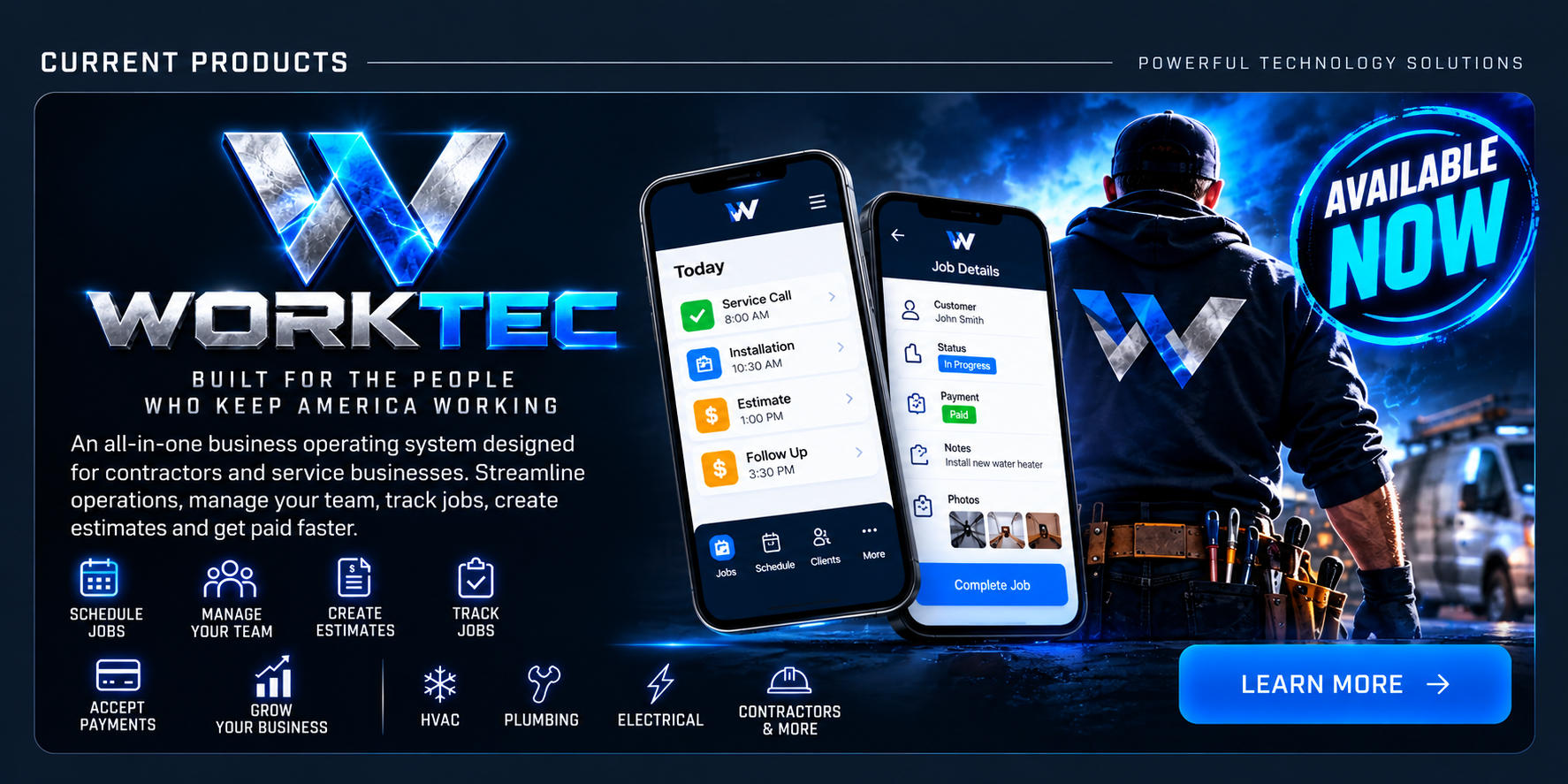
Connect job information, project activity, and the people doing the work.
Explore in your demoBring material, labor, and vendor pricing into the estimating conversation.
Explore in your demoPlan review and editing belong inside the workflow. WORKTEC’s core tools are proprietary, including blueprint and mechanical set editing.
Optional integrations connect the external tools you choose. They are not a dependency for the core WORKTEC product. Payments and communications may require external providers and activation.
Talk through your workflowFrom specialty crews to general contractors. Tell us how your business runs, and we’ll map the right WORKTEC setup with you.
One connected view of the work ahead, shaped around your trade.
WORKTEC brand concept artworkConnect service calls, job calendars, technician assignments, estimates, and customer follow-ups.
Bring multi-stage projects, mechanical sets, commercial documents, and approvals into the same workflow.
Start with a conversation, not a fixed bundle. Base, Advanced, and Pro are customizable starting points. Final modules, availability, and pricing are agreed in your proposal.
For teams organizing the essentials.
For businesses coordinating more moving parts.
For teams with broader operational requirements.
Share your trade, team size, and the workflows you want to improve.
Review the platform, module availability, and your requirements in a demo.
Agree on your package, pricing, integrations, and implementation scope.
Plan configuration, migration, training, and rollout together.
WORKTEC already sees your jobs, invoices and receivables, so funding conversations start from real numbers instead of paperwork. Choose what fits.
Enter your last three months of bank deposits or receivables. We take the average and show up to 150% of it as a working-capital estimate.
Vehicles, tools, machinery and equipment for a crew that is growing. Tell us what you need and the timeline, and we’ll come back with options.
Ask about equipment financingOffer payment plans or financing options on larger jobs, at several price points, right from the invoice or estimate you send. More jobs close when the total isn’t one lump sum.
Ask about customer financingThis is an estimate only, not an offer, approval or commitment to lend. Any amount, price and terms depend on eligibility, underwriting, lender requirements and review of your documents, such as your three most recent bank statements. Product availability varies, and merchant cash advances are distinct from traditional loans. Financing is not guaranteed. For approval we’ll ask for your three most recent bank statements. Please don’t send statements or account numbers through this site; we’ll tell you how to share them securely. Funding requests are coordinated with BMA Closes (NMLS ID 307778); see their privacy and disclosures.
Tell us what your business needs. Apply for access or request a guided demo tailored to your trade. For all inquiries, contact Hanna at Hanna@btecfinancial.com.
Illustrative product concept · Mobile feature availability confirmed during demo
WORKTEC’s core product is proprietary, including blueprint and mechanical set editing. Optional integrations can be scoped around your requirements.
Yes. Base, Advanced, and Pro are starting points for a tailored scope. Pricing and module availability are confirmed before you commit.
Core service and construction workflows are offered now. Payment processing and selected communications or integrations require configuration and testing. A native mobile app, route optimization, online booking, and phone answering are in development. Your demo and proposal confirm your exact scope.
No. Applications are reviewed for fit. Access, onboarding, pricing, and timing are agreed separately.
We collect the business and contact information you submit to evaluate your request, prepare a demo, and discuss onboarding. Requests are stored in this website’s hosted database for authorized WORKTEC review and are emailed for follow-up by Hanna at Hanna@btecfinancial.com. Submission does not subscribe you to unrelated marketing. No payment information is collected here.
Do not submit confidential documents or sensitive personal information. For inquiry follow-up, correction, or deletion, email Hanna@btecfinancial.com and quote your reference. A retention period must be finalized by the operator before public launch.